

More items from this sellerView All


Adobe Premiere Elements 2021 Windows
 Supplier:
ImageSoft
Supplier:
ImageSoft
$135.79
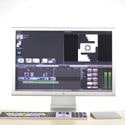
Adobe Premiere Elements Windows software is an excellent program for smart and professional video editing.
Adobe Premiere Elements for Windows software is an excellent program for intelligent and professional video editing. With this software, you can easily turn your Windows computer into a professional studio, whether you are an amateur or a professional.
Adobe Premiere Elements for Windows software features a neat video catalog where you can manage your video creations and use built-in sharing buttons to share the results with others.
Whether you are looking for special effects and want to insert them into your video, or include specific text inserts such as titles or explanations, this software will meet your expectations and allow you to make the most of your videos.
Easy to use, all key functions are just a click away.
Software Features
Professional video editing program for Windows.
Great for professionals or beginners.
Smart tags for marking features or people.
Filter individual shots based on people.
Allows you to split raw footage into individual scenes.
Ideal for creating professional videos.
Add effects with just a few clicks.
A wide variety of effects to choose from.
Over 25 step-by-step tutorials.
Artificial intelligence called Sensei for Face Detection.
SmartTrim for importing extensive video.
Real-time effects.
Quick mode for beginners.
Effects for the entire video or specific areas.
Noise reduction during recording.
Insert music into the video.
Automatic backups of created videos.
This version is specially designed for Windows operating systems.
System Requirements:
6th generation or higher Intel processor, or AMD with SSE4 and AVX support.
RAM: 8 GB of RAM (16 GB of RAM recommended for HD content; 32 GB of RAM or more for 4K content).
Hard drive space: 6.9 GB for software installation.
Graphics card: 1280 x 800 pixels at 100% scaling.
Operating system: Windows 10 version 1903 or later; 64-bit only.
DirectX 12 compatible sound and graphics card driver;
Windows Media Player for importing/exporting Windows Media files.

At ImageSoft, we help creators, designers, and businesses bring their visual ideas to life with powerful, easy-to-use image and video editing software. Whether you’re a professional photographer, a content creator, a marketer, or simply someone passionate about digital visuals, we provide the right tools to create, edit, and transform your content with precision and style.
We specialize in offering a curated selection of top-rated software for:
Photo retouching and enhancement
Video editing and post-production
Graphic design and visual effects
AI-powered image processing
Batch editing, color grading, and more
At ImageSoft, we believe that high-quality visual content should be accessible to everyone. That’s why we offer flexible licenses, affordable pricing, and professional support to help you choose the right software for your goals-whether you’re editing family photos or managing video production for a brand.
Our team carefully tests and reviews every product before offering it in our store, ensuring that you get legitimate, high-performance tools from trusted developers. From beginner-friendly solutions to advanced editing suites, ImageSoft empowers you to work faster, smarter, and more creatively.
With ImageSoft, your creativity meets the right technology.
Shipping Policy
At ImageSoft, all products sold are digital software licenses or downloadable tools. We do not ship physical goods.
Delivery Method:
After your purchase is confirmed, your software download link and/or license key will be delivered immediately via email or through your customer dashboard.
In some cases, delivery may take up to 1–2 hours if manual verification is required (e.g., for volume licenses or high-value purchases).
Important Notes:
Please ensure your email address is correct during checkout.
If you do not receive your license within the expected time, please contact our support team promptly.
Refund Policy
Due to the digital nature of our products, and in compliance with international digital goods laws, all sales are considered final once the license key or download link has been issued.
Refunds will only be granted if:
The license key or download link has not yet been delivered.
The software is proven to be defective or incompatible, and no working alternative or assistance can be provided by our support team.
Duplicate purchases were made unintentionally.
Refunds will NOT be granted if:
You simply change your mind after receiving the product.
The software is incompatible due to insufficient system requirements (please check before purchasing).
The license has already been activated.
All refund requests must be submitted within 5 calendar days of purchase and will be reviewed within 7 business days.
Cancellation / Return / Exchange Policy
As our products are non-tangible digital goods, they are non-returnable and non-exchangeable once delivered or activated.
Cancellation Policy:
Orders can be cancelled only before the software key or download link has been issued.
After delivery, cancellation is no longer possible.
Returns / Exchanges:
We do not accept returns or exchanges on software licenses.
If you believe the product was sent in error or is not working as described, please contact our technical support. We will work with you to resolve the issue or offer a suitable alternative if applicable.
At ImageSoft, we are committed to customer satisfaction and technical support. If you encounter any issue with your purchase, we are here to help you find a prompt and fair solution.
General Inquiries
There are no inquiries yet.