
More items from this sellerView All
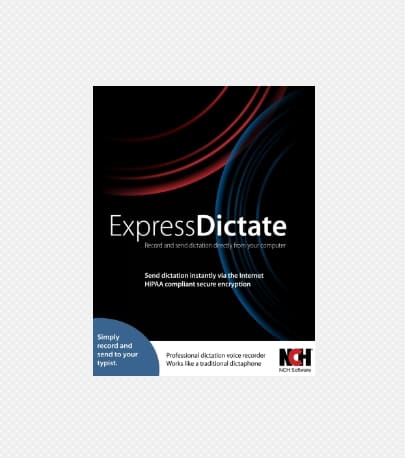
Express Dictate – Digital Dictation Recorder
 Supplier:
Softwares Aung
Supplier:
Softwares Aung
$235.13
Express Dictate is a voice recording program that functions as a dictaphone.
Express Dictate software is a voice recording program that functions as a dictation recorder. It allows you to use your Windows or Mac computer to send voice dictations to your typist via email, over the Internet, or on the computer network.
Express Dictate digital dictation software can significantly improve turnaround time and enables working from anywhere. The software quickly sends with excellent quality and reliability compared to traditional dictation options. It also tracks work progress and anticipated deadlines for job completion.
As an alternative to dictating on your computer, you can also use your portable dictation recorder or any other digital dictation recorder when away from your Windows or Mac computer. The anchoring feature of Express Dictate software makes it easy to transfer the dictation and electronically send it to your typist.
Digital Recording Features.
Digital audio recording with superb quality.
Recording in WAV, MP3, or DCT formats.
Non-destructive automatic editing with multiple recording modes.
Voice-activated recording to avoid recording long silences.
Priority assignment to individual dictations.
Request patient or file data before beginning recording.
Sending recordings directly to the typist via email.
Support for encryption, perfect for securing patient or client data.
Anchoring of portable analog or digital dictation recorders.
Sending recordings made when you are away from your computer.
Ability to attach additional files or notes to your recordings.
Viewing work progress or retrieving sent dictations.
Audio compression to reduce file size and facilitate file transmission.
System-wide keyboard shortcuts.
Mobile device controllers or foot pedals can be used for dictation.
User-friendly interface to start dictating in minutes.
System Requirements.
Compatible with Windows 10, XP, Vista, 7, 8, 8.1, and 11.
Works on 64-bit Windows systems.
Compatible with Mac OS X 10.5 and higher.
The iPhone/iPad version (in English) requires iOS 6.0 or later.
5.0
100% Recommended (1 of 1)
Submit Your Review

At Softwares Aung, we are committed to providing innovative and reliable software solutions to meet the needs of businesses and individuals worldwide. We specialize in offering a diverse range of downloadable software products that empower users to work smarter, not harder.
Whether you’re a small business looking to streamline operations, a professional in need of specialized tools, or simply someone who values efficiency, Softwares Aung has the right software for you. We offer a carefully curated selection of programs that are designed to simplify your work processes, enhance productivity, and boost overall performance.
Our mission is to make high-quality software accessible to everyone. We ensure that all our products undergo rigorous testing to guarantee functionality, security, and ease of use. With Softwares Aung, you get more than just a product—you get a seamless experience from download to implementation.
We understand the importance of keeping up with the fast-paced digital world, which is why we are constantly updating and expanding our catalog to include the latest software solutions on the market. Whether you need tools for design, development, data management, or more, Softwares Aung is your trusted partner in navigating the digital landscape.
Shipping Policy
At Softwares Aung, we provide digital products exclusively in the form of downloadable software. No physical shipping is involved. Once your payment is confirmed, you will receive a download link via email or through our customer portal to access the software immediately.
We strive to ensure a smooth and quick digital delivery process, and there are no shipping charges associated with our products. As digital products, there are no shipping delays. The download process is instant, so you can begin using your software right away.
Refund Policy
Due to the nature of our products, which are downloadable software, we generally do not offer refunds once the software has been downloaded or accessed. We ensure all our software is thoroughly tested for functionality and quality before being made available for sale. However, if you encounter a technical issue that prevents the software from functioning as advertised, please contact our customer support team.
In the event of a valid technical issue or if the software fails to meet the specifications outlined at the time of purchase, we will offer a solution, which may include a partial refund, a credit, or a replacement license. Refund requests must be submitted in writing within 14 days from the date of purchase, along with a clear description of the issue experienced.
Cancellation / Return / Exchange Policy
As our products are digital downloads, cancellations, returns, and exchanges are generally not possible once the software has been downloaded or accessed. If you wish to cancel your order, please contact us within 24 hours of purchase before the software has been delivered or accessed. After this time, cancellations will not be accepted.
For any product issues, such as installation problems or defects, please contact our customer support team. We will assess the situation and provide solutions, including troubleshooting assistance or a software replacement, depending on the circumstances. Exchanges or transfers of downloaded software are not available.
General Inquiries
There are no inquiries yet.
Juteau
recommendable